Product
No more surprise knocks. How we built Technician On My Way
Technician On My Way is a new Sonar feature that lets a field tech tell the next customer they're on the way, by text, email or both, with one tap. Sonar fills in the drive time from the last job, and the tech adjusts it before it sends.
Warren Lyn, Product Manager
November 12, 2026 · 5 MIN · UPD NOV 13, 2026
Susan took the afternoon off.
The install window said noon to five, so she moved her meetings and waited. She was a new customer, and she figured she'd get a text before anyone showed up. With no word by 4, she figured she still had time to let the dog out and take a quick shower.
Bob, the tech, was having a pretty normal day. A repair across town ran long. He stopped for gas on the way. At 4:15 he pulled into Susan's driveway and knocked, a full 45 minutes before the window closed.
Susan was in the shower.
The install went fine. Bob does good work, and the connection is fast. But that night Susan left a two-star Google review. "He knocked while I was in the shower. With a 5 hour window and no call, I had no idea when he was on his way."
Not one word of that review is about the network.
If you run an ISP, you've probably read some version of it. Maybe this week. And it stings, because your team did the actual job right. For a regional operator, every review like that gets read by the neighbors, and by the next household deciding between you and the provider down the road. You worked hard to win Susan. Keeping her happy shouldn't come down to whether she was dressed when the doorbell rang.
Why ISPs asked us for a technician ETA text
I'm the product manager who got to build Technician On My Way, and I'll be upfront that I was excited about this one. It's been near the top of our customer request list for a while. When operators asked for it, they weren't really asking for a notification. They were asking for fewer "is anyone coming?" calls, and for their techs to stop walking up to a door where the customer was already frustrated.
Your subscribers already know what this should feel like. They get a text when the pizza leaves the shop. A heads-up from their internet provider shouldn't be a bigger ask than a pepperoni.
How Technician On My Way works on a real afternoon
Let's run Bob's day again.
He wraps the repair at 3:45. Susan's install is next, across town. When he completes the repair in the Sonar app, it asks whether he wants to let his next customer know he's on the way. The arrival time is already filled in. Sonar worked out the drive from his last job, so the message says about 13 minutes.
But Bob knows he needs to stop for gas on the way, and probably use the bathroom. So he bumps it to 30 minutes and sends it, letting Susan know he'll be there around 4:15. Susan gets a text (or an email, or both, depending on how you set it up) with a time she can actually plan around. Bob never typed a message or looked up an address.
The app keeps up from there. The drive sits on Bob's lock screen so he can keep an eye on his arrival time. And when he's been within 150 meters of the job for about a minute, the app offers to check him in.
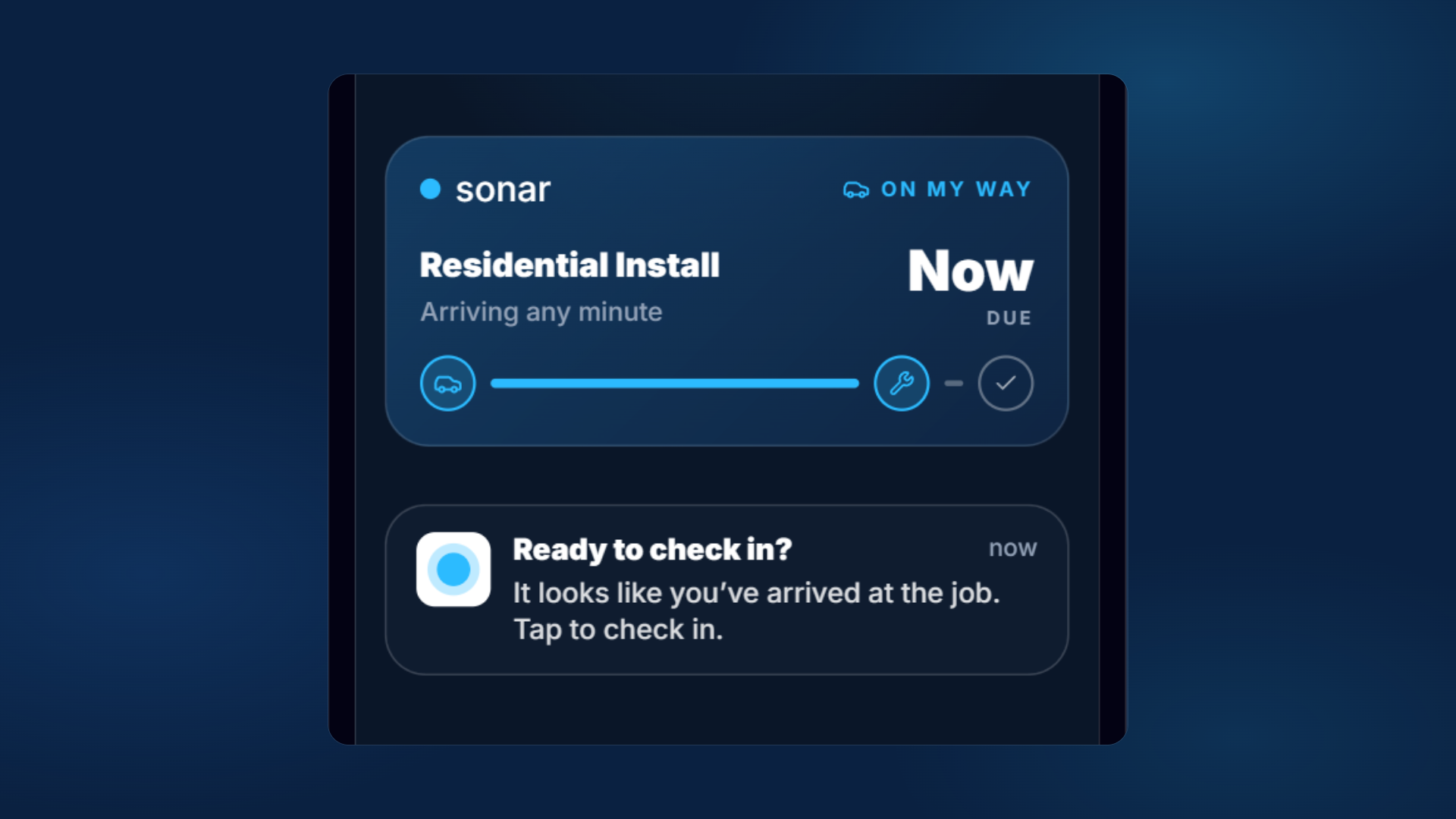
Bob still pulls in at 4:15, same as before. But this time Susan got the text at 3:45. She lets the dog out early, saves the shower for later, and opens the door expecting him. No surprise knock. No two-star review.
Dispatchers can send the same heads-up from the web app, either from the jobs list or with a checkbox when they close out the previous job.
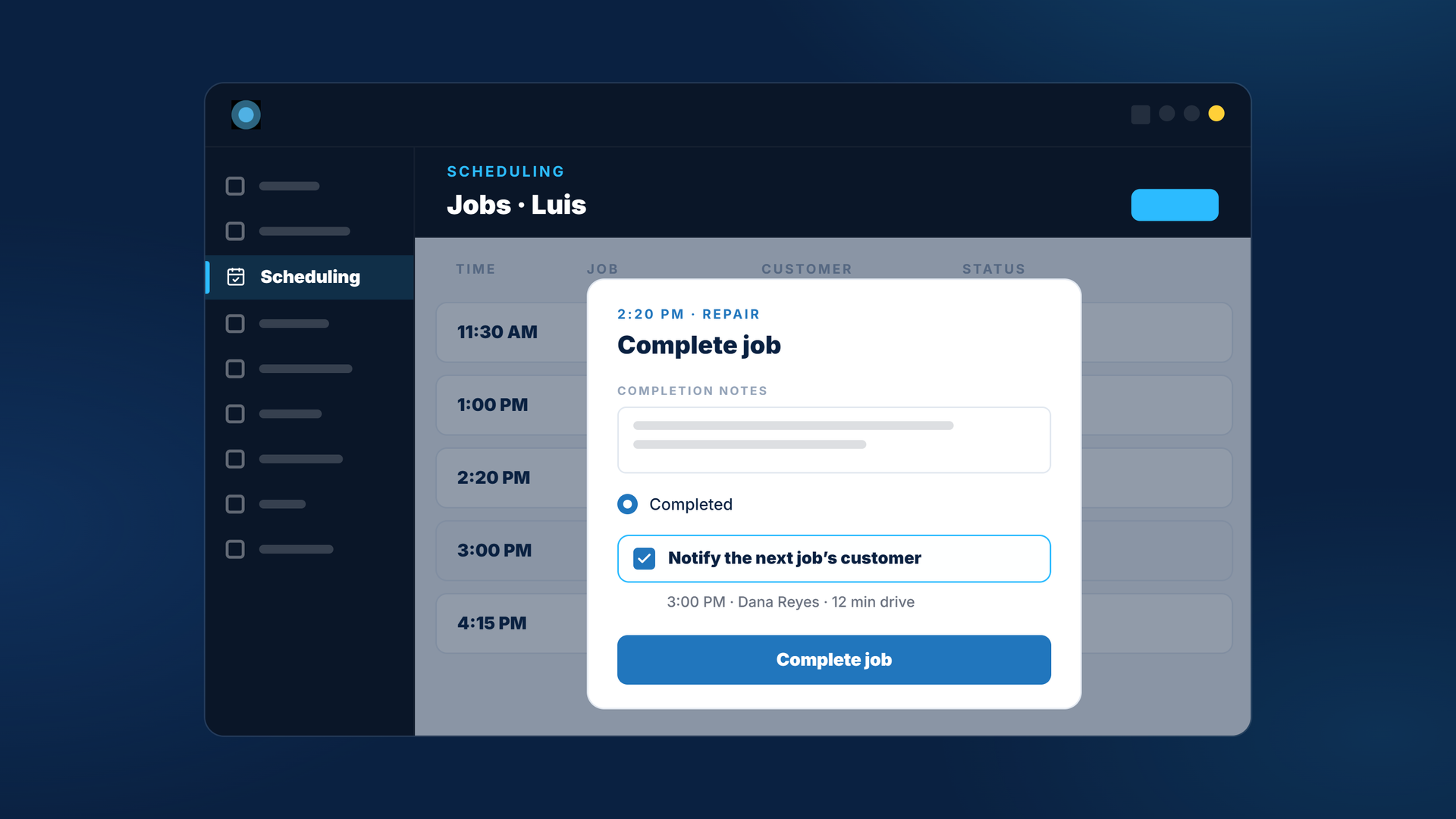
The short version, step by step
- The tech completes a job in the Sonar app.
- The app offers to notify the next customer, with an arrival time already calculated from the last job's location.
- The tech keeps that time or changes it, then sends with one tap.
- The customer gets a text, an email or both. When the tech arrives, the app offers to check them in.
Why the tech has the final say on the ETA
From the start, we wanted the tech in charge of this message. Sonar estimates the drive from typical drive times and available traffic data, and the tech approves it or changes it before anything goes out. If the last customer has one more question about their router, or he has to pick up a part on his way to the next appointment, Bob works that in, and the customer gets an arrival time they can trust, sent with one tap.
How to set up Technician On My Way in Sonar
Technician On My Way is a new trigger in Communications > Triggered Messages. If you already use triggered messages, it works the way you're used to. Pick text, email or both, and limit it to certain job types if you'd like.
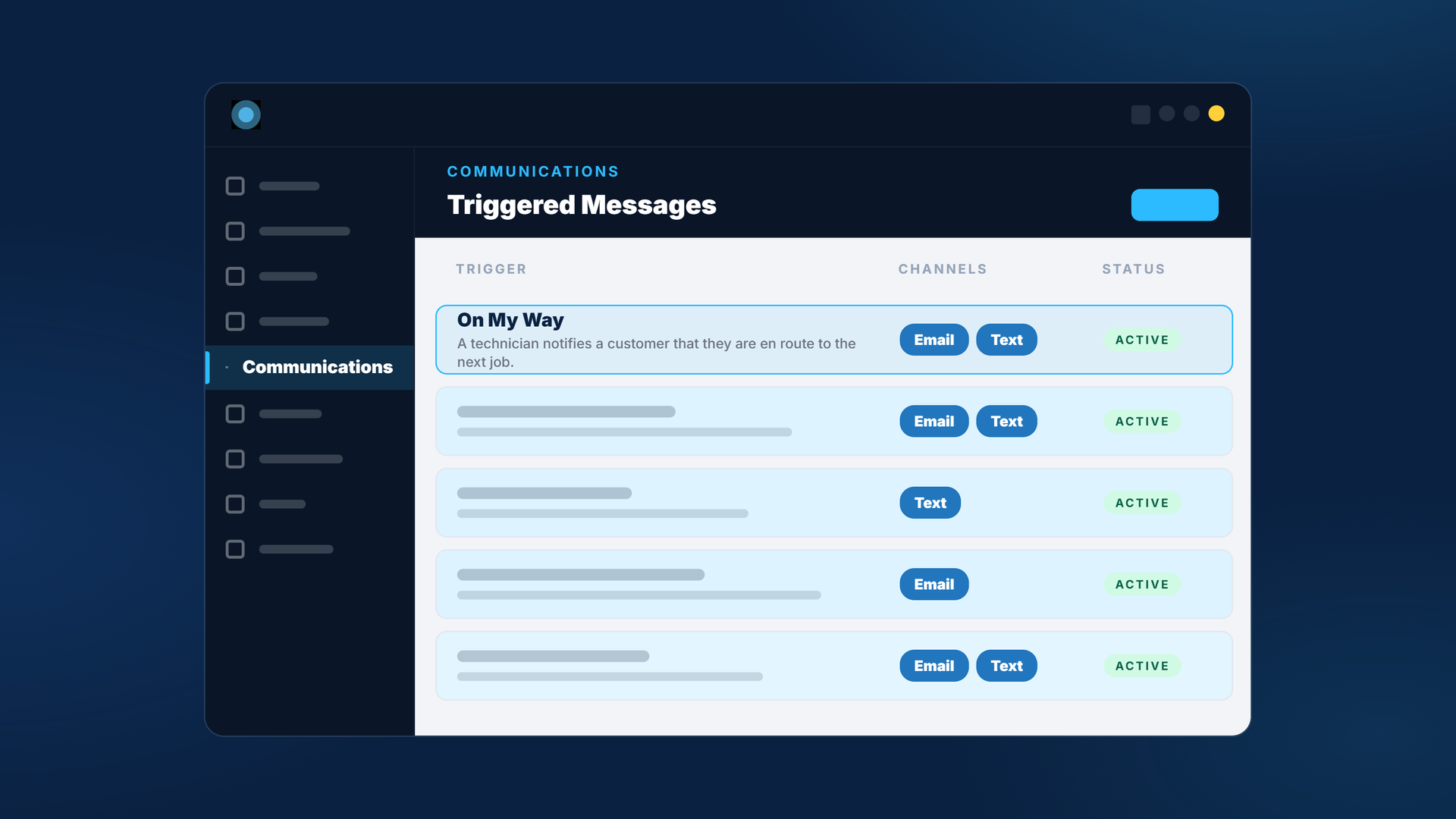
And while we were in there, we added three more triggers. Job upcoming is how you send appointment reminders (another one customers asked us for). Tech check-in and job completed round out the visit. Add the job scheduled trigger you may already use, and Susan hears from you when the install is booked, before the appointment, when Bob's on the way, when he's at the door, and when the work is done.
- Job scheduled. When the job is booked.
- Job upcoming. Ahead of the appointment, as a reminder.
- Technician On My Way. When the tech or dispatcher sends the ETA.
- Tech check-in. When the tech checks in at the job.
- Job completed. When the work is done.
The full setup is in the Technician On My Way setup guide, and the launch details are in our Technician On My Way announcement. If you've got a use for these triggers we haven't thought of, tell your CSM or reach out to me directly. I'd like to hear it.
A big thank you to Jae, Štěpán and Kevin, who built it.
Nobody's ever going to leave a review that says "the tech texted me before he showed up." That's kind of the point. We'd much rather Susan write about how fast her internet is.
Questions, answered.
Does Technician On My Way send automatically?
No. The tech chooses when to send it, so the arrival time reflects when they're actually leaving.
How does Sonar calculate the arrival time?
Sonar estimates the drive using typical drive times and available traffic data. If location permission is on in the tech's Sonar app, the estimate starts from where the tech is right now. Otherwise, it's calculated from the last job to the next one. The tech can change it before sending.
Can customers get the notification by text or email?
Either or both. You choose the channel when you set up the trigger in Communications > Triggered Messages.
Can dispatchers send it instead of the tech?
Yes. Dispatchers can send it from the jobs list in the Sonar web app, or with a checkbox when they close out the previous job.
See it on the platform
20 minutes wired to your operation.
An ISP-only specialist walks Sonar through your specific use case. No generic deck, no horizontal SaaS pitch.
Book a meeting